


Blusafe Solutions
TTLock G2 Wi-Fi Gateway for Blusafe Smart Locks
TTLock G2 Wi-Fi Gateway for Blusafe Smart Locks
Regular price
€48,95 EUR
Regular price
Sale price
€48,95 EUR
Taxes included.
Couldn't load pickup availability
Quantity
Key features at a glance
 Wi-Fi
Wi-Fi
 Bluetooth Bridge
 Gateway
 Remote Unlock
 App Control
 Activity Log
TTLOCK PLATFORMG2 GATEWAY
Unlock your door from anywhere.
A Wi-Fi bridge/gateway connects nearby Bluetooth TTLock locks to the internet for remote access.
2.4GHz Wi-FiRemote unlockMultiple locks in rangeAlexa & Google
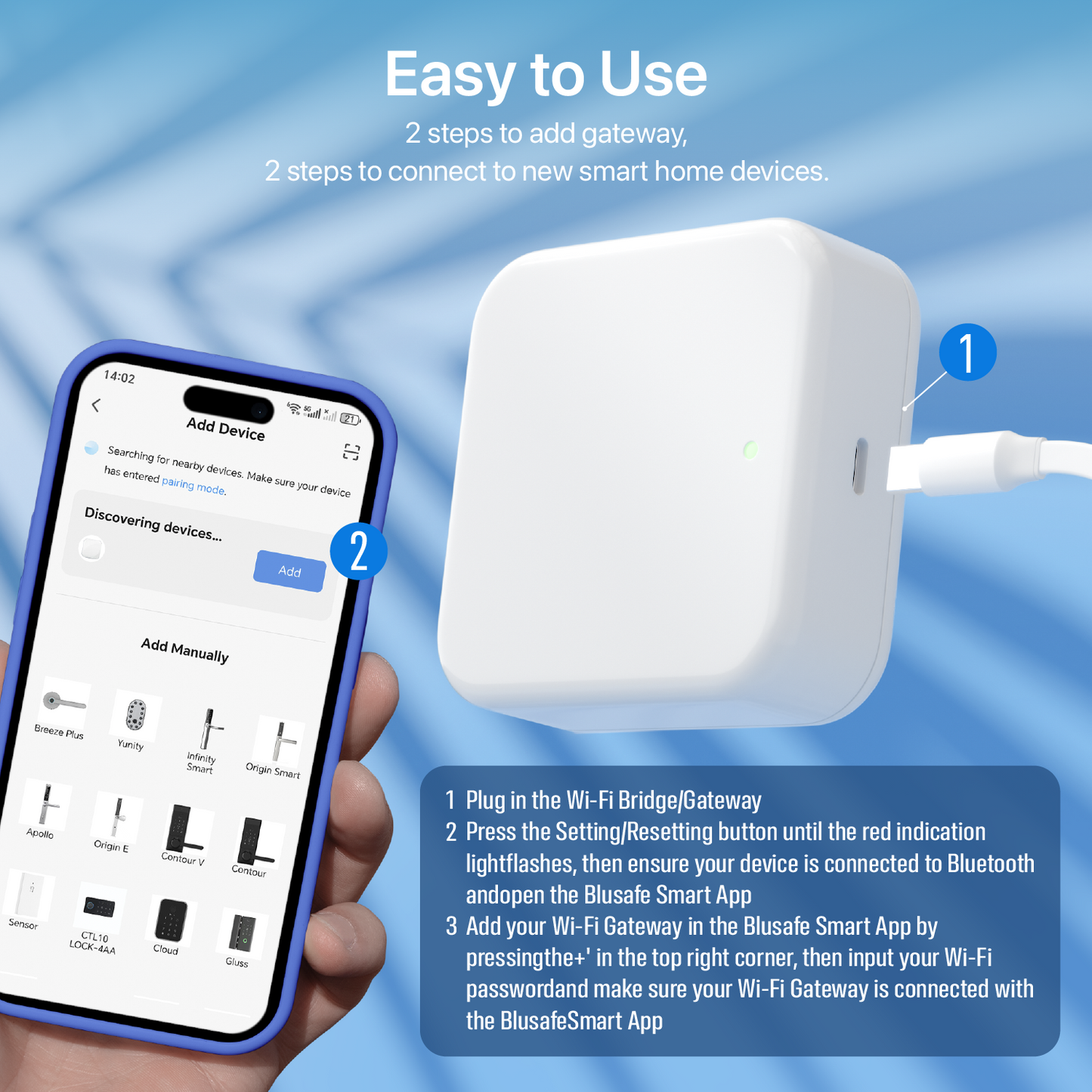
The G2 is the standard TTLock Wi-Fi gateway for Blusafe locks. It bridges Bluetooth locks to the internet, so you can unlock remotely, manage access and receive activity updates through the TTLock app.
All three gateways connect to the lock over Bluetooth, so the gateway should be plugged in within Bluetooth range of the door.
Why you will like it
✓Remote access made simple
Unlock, manage users and check activity even when you are away from the property.
✓Bluetooth-to-Wi-Fi bridge
Your lock stays Bluetooth locally; the bridge handles internet connectivity.
✓Choose the right model
The comparison table makes it clear when to pick G2, G5 or G6.
Frequently asked questions
Will this work with every Blusafe lock?
It is for compatible TTLock-based Blusafe locks such as Apollo and Origin Smart Plus. Tuya/Blusafe Smart app products need the Tuya Wi-Fi Bridge instead.
Where should I plug it in?
Place it within Bluetooth range of the lock and within range of your Wi-Fi router.
Which gateway is best?
Choose G2 for simple remote access, G5 for dual-band Wi-Fi or multi-lock setups, and G6 when Matter integration is the priority.
Free UK Delivery ● 2 Year Warranty ● UK-Based Support


Blusafe UK
Product Security
How to report a security vulnerability and how long Blusafe connectable products receive security updates.